





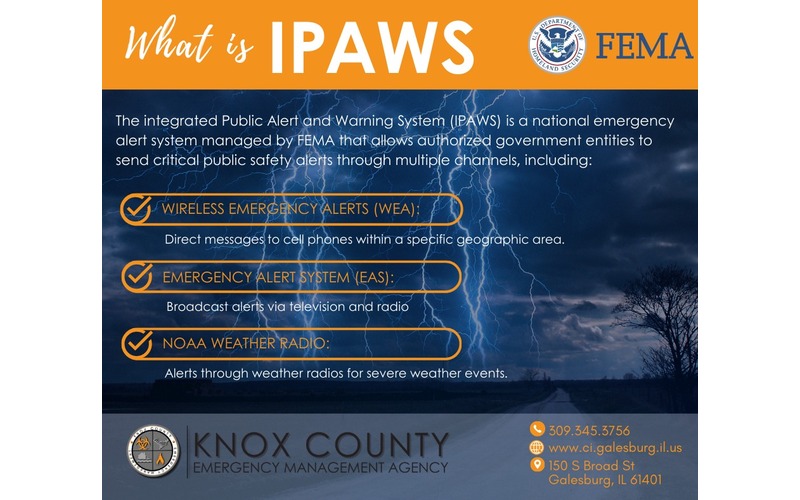
Knox County officials have launched a powerful new alert system designed to keep the community safe during emergencies. The Integrated Public Alert & Warning System, or IPAWS, enables real-time notifications sent directly to residents’ mobile phones, radios, and televisions using advanced FEMA technology. Unlike the previous CodeRED system, IPAWS needs no sign-up and reaches everyone in immediate danger, without causing unnecessary alerts elsewhere. Galesburg Fire Chief Randy Hovind emphasizes that this system delivers life-saving instructions, such as evacuation orders or severe weather warnings, quickly and efficiently. For emergency preparedness tips, visit the city website or the KCAlertNetwork Facebook page.
“Our top priority is the safety of our residents,” said Galesburg Fire Chief and KCEMA Coordinator Randy Hovind. “Implementing IPAWS gives us the ability to provide critical, time-sensitive information, such as evacuation orders, flash flood warnings, or shelter-in-place instructions, directly to your phone. When time matters most, this technology will save lives.”
What residents need to know about IPAWS:
- No Sign-Up Required: Unlike our previous alert system, CodeRED, Wireless Emergency Alerts use cell tower technology to send messages to all phones within a specific geographic area.
- Targeted Information: Alerts will only be sent to individuals in the immediate vicinity of a danger, helping to avoid “alert fatigue” for those not affected.
- Emergencies Only: IPAWS will be used for severe, life-threatening events requiring immediate action.
- Sound and Text: Wireless Emergency Alerts emit a unique high-pitched sound followed by a text message.
Tips for ensuring your phone is set up to receive alerts:
- iPhone Users:
- Open Settings | Notifications
- Scroll all the way to the very bottom to the “Government Alerts” section.
- Ensure the toggles for AMBER Alerts, Emergency Alerts, and Public Safety Alerts are turned ON.
- New for 2026: Check for “Local Awareness” or “Enhanced Safety Alerts” and turn them on to improve the speed and accuracy of alerts based on your exact location.
- Android Users:
- Open Settings
- Search for “Wireless Emergency Alerts” (usually found under Safety & Emergency or Notifications).
- Ensure “Allow Alerts” is toggled ON.
- Make sure specific categories like Extreme Threats, SevereThreats,s and Public Safety Messages are all checked ON.